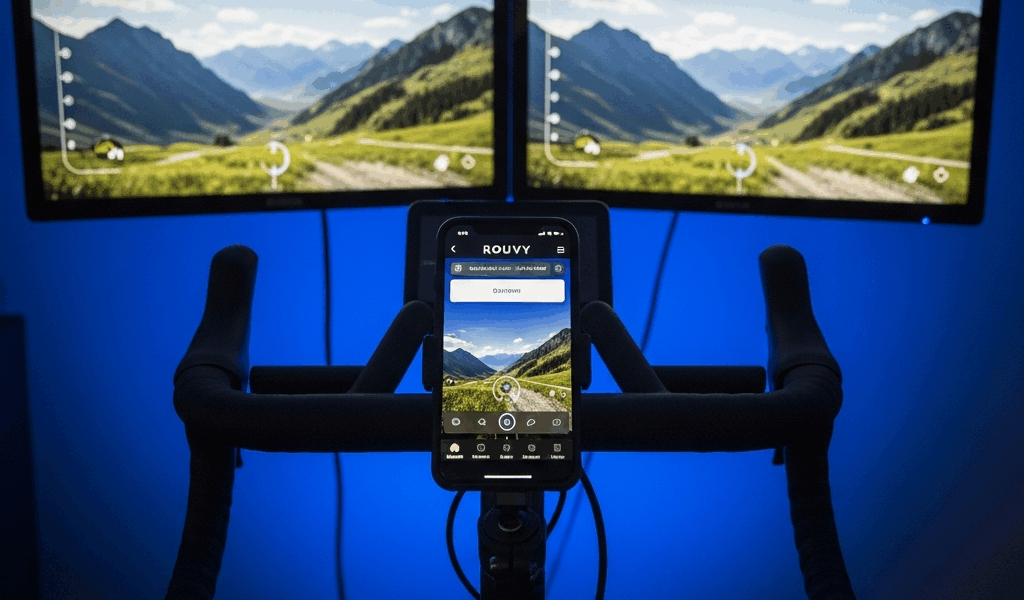
Can You Use Zwift Ride With Rouvy?
Zwift Ride compatibility has gotten less clear-cut with all the conflicting forum posts and half-answers flying around. So let me just say it plainly: yes, your Zwift Ride works with Rouvy. Full stop. It connects via ANT+ or Bluetooth, it pairs without much fuss, and it stays connected. I’ve been running this exact setup for six months—and I’m writing this because it took me way longer than it should have to find a straight answer.
The Zwift Ride—$499, direct-drive, built-in shifters, that sleek matte finish—wasn’t engineered to live exclusively inside Zwift’s ecosystem. It carries ANT+ FE-C certification and Bluetooth Smart support. Rouvy speaks both protocols fluently. No proprietary lock-in, no hardware tricks. It just works.
This article includes affiliate links. We may earn a commission at no extra cost to you.
What actually transfers over: power data, cadence, speed, resistance control. Rouvy reads your watts and RPM in real time and adjusts the trainer’s magnetic resistance to match virtual road gradients. The shifters on the Ride hardware go completely dead in Rouvy—that’s the one genuine limitation—but everything else runs cleanly.
Here’s what I wish someone had told me before my first pairing attempt: connection stability lives and dies by which protocol you choose. ANT+ is rock-solid but needs a USB dongle. Bluetooth is convenient and occasionally moody. More on both below.
Step-by-Step Setup — Rouvy on Zwift Hardware
Before You Start — What You Need
While you won’t need anything exotic, you will need a handful of things before touching the app. The Zwift Ride trainer, obviously. The Rouvy app on your phone, iPad, or computer. And if you’re going ANT+, a USB dongle—Garmin makes a reliable one for around $40. The official Zwift ANT+ adapter technically works too, though I’ve heard mixed things about it outside Zwift’s own software. Probably not worth gambling on.
Reset your trainer first. Most people skip this step entirely. Steer clear of where I went wrong. Hold the reset button on the Zwift Ride for ten seconds until the LED flashes white. Clears old pairings, prevents ghost connections from your last Zwift session showing up where they shouldn’t.
Pairing Via ANT+
Plug the ANT+ dongle into your computer. Open Rouvy, head to Settings > Hardware, and select “Add Device.” The app scans for ANT+ signals automatically—no extra steps.
On the trainer itself, hold the power button until it enters pairing mode. The LED pulses blue. Rouvy usually finds the Zwift Ride within 15 seconds. Tap to confirm. Name it something recognizable—I went with “Zwift Ride Main” to separate it from my road bike setup. The whole pairing process takes maybe 90 seconds on a good day.
ANT+ connections are typically more stable than Bluetooth, in my experience anyway. The catch is that USB dongle requirement. Most tablets and phones don’t have built-in ANT+ support, which pushes a lot of people toward Bluetooth by default.
Pairing Via Bluetooth
Open Rouvy on your iOS or Android device—or your computer, if that’s your setup. Go to Settings > Hardware, select “Add Device,” choose Bluetooth. The app starts scanning.
Wake the Zwift Ride by pedaling lightly or pressing the power button. It enters Bluetooth pairing mode automatically when it’s not already attached to something else. Rouvy lists it as “Zwift Ride” in the available devices. Tap it. Done.
The pairing sticks after that first connection. I’ve had two Bluetooth dropouts in six months of use—both times my phone was sitting on the far side of the room with my WiFi router between us. Keeping your device within 10 feet of the trainer kills that problem entirely. Honestly, just don’t set your phone across the room.
Testing Your Connection
Worth flagging before going further—but before launching any actual workout, use Rouvy’s test screen. Pedal at a steady pace and watch whether your power, cadence, and speed numbers appear within a second or two. A delay of three seconds or more means something’s wrong. Toggle off nearby Bluetooth devices—smartwatches, wireless earbuds, whatever’s competing for signal—and try again.
Most setup problems aren’t hardware failures. They’re environmental. Too many 2.4 GHz signals in the same room wreck Bluetooth stability. An ANT+ dongle bypasses this entirely, but I understand not everyone is working with a desktop computer and a free USB port.
What Works and What Does Not
The Working Parts
Power data flows accurately. I spent one afternoon comparing my Zwift Ride readings against my Stages crank power meter—they matched within 2-3%, which is normal variance between any two power sources. Rouvy uses those watts to adjust difficulty in real time, so a 6% climb actually feels like a 6% climb and a flat section lets you breathe again.
Cadence tracking is flawless. Zero lag, instant display. Speed calculations derive from power and virtual gradient, so they’re always accurate regardless of what the trainer’s flywheel is physically doing.
Resistance control is where the Zwift Ride genuinely shines in Rouvy. Hit a real-world climb—say, 8% gradient through some Italian mountain village—and the magnetic resistance ramps up smoothly to match. No grinding, no stuttering, none of the hesitation you get from older wheel-on trainers.
The shifters, though—dead weight in Rouvy. They do absolutely nothing. First week, this bothered me more than I expected. By week three, I’d stopped thinking about it.
The Missing Parts
Rouvy can’t read the Zwift Ride’s built-in shifters because those shifters run on proprietary Zwift firmware, not any standardized ANT+ protocol. That’s an intentional ecosystem decision on Zwift’s part—not a Rouvy limitation, not a bug. If shifter feedback is central to how you train, Rouvy probably isn’t your app. Most riders, apparently, don’t miss it after the adjustment period.
Zwift-exclusive features—Climb mode, sprint boost curves, the gamified resistance adjustments—don’t exist in Rouvy at all. Rouvy is built around real-world road data. The philosophy is fundamentally different. Coming from Zwift, this feels like a loss for about a week. Then it starts feeling like a relief.
Zwift vs Rouvy — Quick Comparison for Zwift Ride Owners
You already own the hardware. You’re not shopping for a new trainer. The question is whether adding Rouvy to your rotation makes sense. That’s what makes this comparison useful to us Zwift Ride owners—it’s not theoretical.
Why You’d Want Both Apps
But what is Rouvy, really? In essence, it’s a training platform built on real-road imagery—actual drone footage and GPS telemetry from real locations. But it’s much more than that. You’re riding the Col du Tourmalet with real satellite imagery underneath you, real elevation data pulling against your legs. Zwift is a beautifully designed fantasy map. Both are valid. They’re just doing different things.
Rouvy adds weather simulation—rain, wind, temperature shifts—that affects your visual environment and avatar without touching your trainer’s resistance. Sounds trivial. Isn’t. Grinding through a virtual thunderstorm in northern Portugal at 6 AM somehow feels more honest than riding through Watopia’s eternal sunshine.
Training structure differs sharply. Zwift leans hard into structured intervals, gamified targets, predefined coaching sessions. Rouvy is lighter on structure—pick a route, ride it. Some athletes love Zwift’s scaffolding. Others find it exhausting. I prefer Rouvy’s open format, mostly because I’m the type who’ll ride the same climb five times in a row just because I want to, not because an algorithm scheduled it.
Where Zwift Still Wins
Zwift has the community. Group rides running constantly, organized racing, league structures, competitive categories. Rouvy’s community is growing—but it’s smaller, and you’ll feel that emptiness on a Tuesday evening when nobody’s online for a group ride. If social features drive your training, Zwift is still the answer.
Zwift’s workout library is enormous. Thousands of coach-designed sessions across every fitness level and discipline. Rouvy offers fewer pre-built workouts. You can structure intervals manually, but it requires self-direction that not everyone wants to provide for themselves after a long workday.
Zwift’s AI pacing partners are genuinely useful—they respond to your actual effort and help you hold target wattage ranges during intervals. Rouvy doesn’t have this. You pace yourself against the gradient and whatever stubbornness you brought to the bike that day.
The Practical Truth
Most Zwift Ride owners I know run both apps. Rouvy for endurance and base-building—real roads feel more sustainable for long sessions. Zwift for structured intervals and group rides, because the infrastructure is already there. The Zwift Ride hardware supports both equally well once it’s paired and settled in.
First, you should download Rouvy and try the free tier—at least if you’re even mildly curious—before committing to anything. Some real-world routes are available without a subscription. If the format clicks, premium runs $14.99 monthly or $99 yearly. Reasonable for access to hundreds of actual roads across dozens of countries.
Rouvy might be the best option for long endurance rides, as indoor training at that duration requires some mental variety. That is because staring at Zwift’s fictional landscape for three hours hits differently than riding actual roads through the Dolomites—even virtually. I use Rouvy three times a week now, Zwift once. My Zwift Ride pairs with whichever app I open first, sits quietly while I work, and delivers clean power data without drama. That’s exactly what a $500 piece of hardware should do.




Stay in the loop
Get the latest cycle train central updates delivered to your inbox.