Why the KICKR Snap Wheel Slips in the First Place
KICKR Snap wheel slipping has turned into a moving target with all the conflicting advice flying around.
Three root causes create this mess. Roller tension set too loose. Tire surface degradation or flat-out wrong compound. Sweat and moisture contamination on the drum itself — which sounds embarrassingly basic but absolutely destroys contact pressure when you’re soaking the bike through a hard hour. That third one got me for two weeks before I figured it out.
But what is the fourth cause? In essence, it’s a firmware and calibration issue. But it’s much more than that — stale spindown data creates a resistance delivery quirk that feels physically identical to wheel slipping. It isn’t slipping. The sensation, though, is the same. Most people never catch this one.
So, without further ado, let’s dive in.
Step 1 — Set the Roller Tension Correctly
This single adjustment fixes roughly 70 percent of slipping complaints. Important part first.
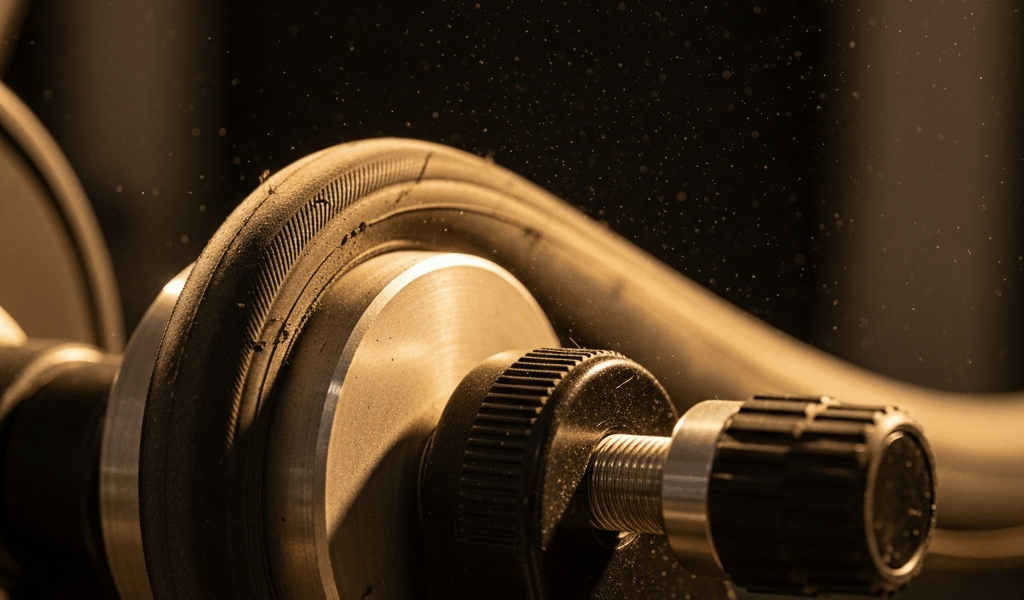
Locate the tension knob on the right side of the KICKR Snap drum assembly. Black plastic, single orientation line marked on it. Spin it clockwise exactly two full rotations from the moment you first feel the roller make contact with your tire. Not one. Two.
Here’s what everyone gets wrong: they count one full turn and stop. One rotation brings you to basic contact. The second rotation is where the actual clamping force happens. That distinction matters enormously — at least if you want the roller to stay put during a hard effort.
After two full turns, do the finger-press test. Grip the roller drum between thumb and forefinger and try to move it laterally. Zero play. None at all. If it shifts even slightly, keep turning.
Tire type shifts this baseline a little. Running a worn road tire with under 1mm of tread depth? Add a half-turn beyond two. Running a Tacx Trainer Tire or Continental Home Trainer — both around $35–45 depending where you buy — those grip more aggressively, so you might back off a quarter-turn. Fine-tuning territory. But the baseline is always two full rotations from initial contact, no exceptions.
Check tension once a month during heavy training blocks. Vibration loosens the knob gradually and you won’t notice until the slipping starts again. Learn from what tripped me up of blaming the tire for three sessions before checking the knob.
Step 2 — Check Your Tire and Clean the Drum
Frustrated by what seemed like an unsolvable slipping problem after already fixing tension, I eventually realized the culprit was a tire with absolutely no grip left — glazed flat across the entire contact patch.
Examine the tire under decent light. Shiny, glassy surface where rubber meets roller? Flat tread with zero texture? That’s your answer. The Snap’s roller drum depends on tire compound texture to generate grip. A bald tire defeats the whole system.
Specific tire types cause chronic slipping: knobby gravel tires with the wrong compound and wrong surface geometry, silicone-based road tires that can be slippery straight out of the box, and anything with severe wear. I’m apparently a heavy tire-killer and my old Continental GP5000 lasted about four months of daily trainer use before it was basically glass. The Wahoo KICKR Tire and the Continental Home Trainer both work for me while generic road tires never grip consistently. Dedicated trainer tires run $35–55 and eliminate about 90 percent of grip-related complaints. They’re purpose-built for exactly this application.
Now the drum cleaning step — this one’s underrated. Every session, especially if you’re dripping sweat, moisture accumulates on the rubber roller drum. Thin film. Invisible. Kills contact pressure instantly.
Before every session, wipe the drum with a dry microfiber cloth. Circular motion, 20 seconds. Heavy sweater? Do it mid-session during longer workouts too. Never use solvents, alcohol, or anything aggressive — dry cloth only. The drum surface is soft rubber and harsh chemicals will degrade it faster than normal wear would.
Step 3 — Run a Spindown Calibration After Every Fix
This step is non-negotiable — at least if you want your power numbers to mean anything afterward.
After adjusting tension or cleaning the drum, the Wahoo app is still running on old calibration data. Resistance curves from your last spindown, possibly weeks ago. Stale data makes the Snap feel inconsistent and you’ll swear it’s still slipping when it’s actually just operating on wrong parameters.
The spindown process takes about five minutes. Here’s the exact sequence:
- Open the Wahoo app and connect to your KICKR Snap.
- Navigate to Settings — Calibration — Spindown Test.
- Warm up for 10 full minutes at easy effort before starting. Mandatory. The drum needs to reach thermal equilibrium or the spindown reads inaccurately.
- When prompted, spin up to around 90 rpm and coast. The app measures deceleration from 90 rpm to zero and builds your resistance curve from that data.
Run spindown after every single tension adjustment. Even when you’re convinced the problem is solved. Power readings stabilize almost immediately once the calibration is current. This new calibration data takes effect several minutes into your next session and eventually evolves into the consistent resistance curve Snap owners know and rely on.
Still Slipping After All That — Try These Last Checks
While you won’t need to tear the whole trainer apart, you will need a handful of specific checks if tension, tire, drum, and spindown haven’t solved it.
First, you should reseat the quick release skewer — at least if you haven’t already done it intentionally. The axle needs to be firmly seated in the Snap’s dropouts. Loosen the lever completely, reseat the axle, clamp down hard. A half-seated axle creates play that feels exactly like wheel slipping. Sounds too simple. It’s caught people off guard before.
Axle adapter mismatch might be the best option to investigate next, as the KICKR Snap requires the correct adapter for your specific spacing. That is because the Snap ships with adapters for 130mm road and other standards, but if you’ve swapped bikes since setup, you may be running the wrong one. Lateral movement from a loose adapter mimics slipping perfectly.
Worn drum surface. If your Snap has five or more years on it and 500-plus logged hours, run your hand across the roller. Grooves? Shiny stripes? The rubber has worn through. I’m apparently rough on equipment and my first Snap drum lasted about three years before I could feel the scoring. Wahoo sells replacement drums for around $80–100 — 15-minute swap, nothing complicated.
Contact Wahoo support if nothing works. Have these details ready: serial number under the left dropout, firmware version from Settings — About in the app, your tire model and its age, and when the slipping started. They’re responsive. They can identify hardware issues that aren’t fixable at home and will tell you straight.
The KICKR Snap is solid hardware. Most slipping problems dissolve the moment you nail tension, swap to a real trainer tire, and run a fresh calibration. Thirty minutes total. Solves it 95 percent of the time. That’s what makes the Snap endearing to budget-conscious cyclists who don’t want to spend $1,200 on a direct-drive trainer — it’s fixable, and almost always by you.



Stay in the loop
Get the latest cycle train central updates delivered to your inbox.