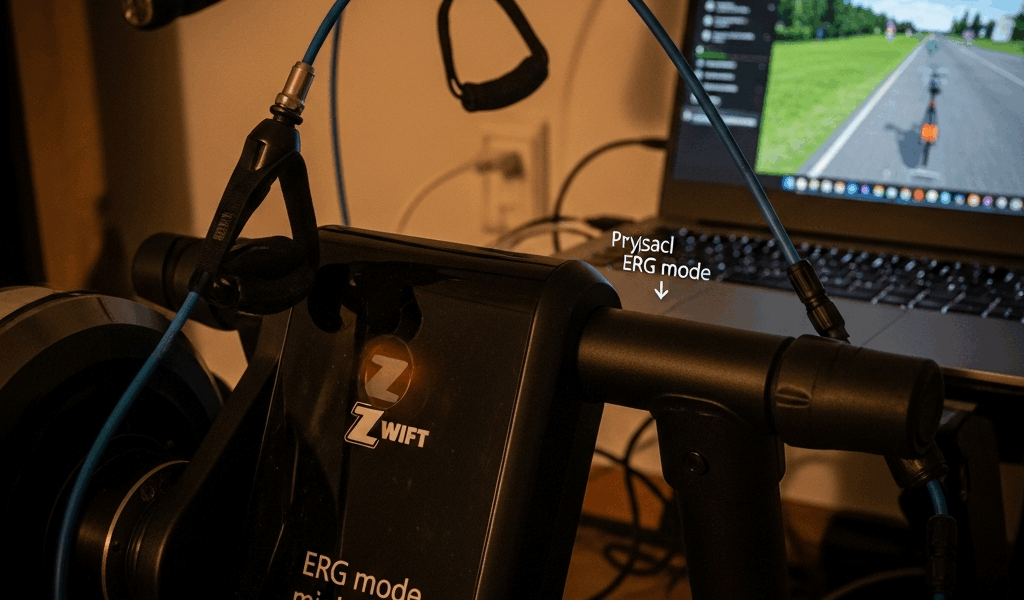
What ERG Mode Is Actually Supposed to Do
ERG mode on Zwift has gotten complicated with all the conflicting advice flying around. So let me cut through it. You set a target wattage — say, 250 watts — and your smart trainer handles the resistance automatically. Cadence drops to 60 rpm? The trainer eases up. You spin faster at 100 rpm? It tightens the load. Dead simple in theory. The goal is just hitting that power number. Nothing else.
But what is zwift erg mode not working, exactly? In essence, it’s one of two separate problems. But it’s much more than that distinction sounds. Either ERG isn’t engaging at all — you flip it on and resistance sits completely flat — or it engages and then spirals into a death loop. The spiral is the sneaky one. Cadence dips because your legs are cooked. Trainer cranks resistance to compensate. Cadence drops further. Within seconds you’re grinding something so heavy it feels like pedaling through concrete. That’s not ERG failing. That’s ERG doing exactly what it was told while your legs quietly betray you.
Knowing which problem you actually have saves hours of pointless troubleshooting. So, without further ado, let’s dive in.
Check These Three Things Before You Do Anything Else
As someone who has spent an embarrassing amount of time in Zwift support threads at 6 a.m., I learned everything there is to know about these failure modes the hard way. Today, I will share it all with you. Probably should have opened with this section, honestly — because half these problems disappear in under sixty seconds.
- Is ERG mode actually on? Open your workout screen mid-ride. Bottom-left corner shows a green icon or toggle when ERG is active. If it’s gray, tap it. That’s sometimes the whole fix.
- Is your trainer paired as a Controllable device? Not just a Power Source — Controllable. Head into Zwift’s pairing screen under Devices. Your trainer should appear twice: once labeled “Power,” once labeled “Controllable.” Only seeing Power? ERG has no control signal to send. Pair the Controllable entry.
- Is your wireless connection stable? Trainers typically sit 6 to 10 feet from routers and still get interference. If you’re running ANT+ and Bluetooth simultaneously, they fight each other. Pick one protocol and stick with it.
Common Causes and How to Fix Each One
Trainer Not Paired as Controllable
This is the number-one culprit. Zwift’s pairing screen floods you with every nearby device. Beginners grab the power meter function and miss the control function entirely. Don’t make my mistake.
- Go to Settings → Devices inside Zwift — not your phone’s native Bluetooth menu.
- Find your trainer. Two entries should appear: “Trainer Name – Power” and “Trainer Name – Controllable.”
- Tap Controllable and pair it.
- Jump back into your workout and toggle ERG on.
If only the Power entry shows up, unpair everything and start from scratch. Pull the trainer out of your phone’s Bluetooth entirely, restart Zwift, and re-pair both functions through Zwift’s own interface. Your phone’s Bluetooth menu won’t expose the Controllable function — Zwift’s pairing screen will.
Trainer Needs a Calibration Spin-Down
Smart trainers read resistance through friction sensors. Temperature swings and long storage periods throw calibration off. A spin-down fixes it in about 30 seconds.
- Stop pedaling and coast to a full stop.
- Inside Zwift’s pairing screen, locate your trainer. A “Calibrate” or “Spin-Down” button should be visible.
- Unclip and spin the wheel by hand for 8 to 10 seconds until it’s coasting freely on its own.
- Wait. Zwift confirms success with an on-screen message.
- Resume your workout.
Worth noting: the Wahoo KICKR, KICKR Core, and most Tacx models all need a 5-to-10-minute warm-up before calibration reads accurately. Cold calibration gives you bad numbers. Tacx Neo models skip the spin-down process entirely — but still need regular firmware checks, which most people ignore until something breaks.
ERG Mode Disabled in Settings or Hijacked by Another App
Zwift buries an ERG accessibility toggle in advanced settings. People flip it without realizing. I’m apparently someone who did exactly this for two weeks before noticing, and the Zwift app works fine for me once it’s on while ERG never engages when that toggle quietly reads “Off.”
- Completely quit every other training app — TrainerRoad, Wahoo’s app, Stages Cycling, all of it. Swipe them out of recent apps entirely.
- In Zwift, open Settings → Accessibility.
- Confirm the ERG toggle reads “On.”
- Return to your workout.
Multiple apps competing for Bluetooth control of the same trainer is a mess. The trainer can only obey one master at a time.
Trainer Firmware Is Out of Date
Manufacturers push firmware updates that specifically address ERG response times and resistance accuracy. A firmware version from two years ago might not communicate cleanly with current Zwift builds. That’s not Zwift’s fault, and it’s not the trainer’s fault — it’s just a version mismatch.
- Open the manufacturer’s app: Wahoo Fitness for KICKR models, Tacx Utility for Tacx, Stages for Stages trainers.
- Connect your trainer via Bluetooth inside that app.
- Check for available firmware updates. Install if one exists. Usually takes around 10 minutes.
- Return to Zwift and test ERG mode again.
Zwift App Bug Requiring a Full Restart
Sometimes Zwift loads a corrupt cache file and ERG flags don’t register at all. Full restart clears it.
- Force-quit Zwift completely. On iOS, swipe up and hold the Zwift card. On Android, go to Settings → Apps, select Zwift, tap Force Stop.
- Power your phone fully off. Wait 10 seconds. Turn it back on.
- Relaunch Zwift.
- Open a fresh workout and test ERG mode.
The ERG Mode Spiral and How to Escape It
You’re sitting at 250 watts, feeling decent, then cadence slips below 80 rpm. The trainer clamps down hard. Legs panic. Cadence falls to 70 rpm. Resistance climbs again. Within about 15 seconds you’re grinding something that feels like Alpe d’Huez on a single-speed. That’s what makes ERG mode both endearing to us cyclists and occasionally maddening — it’s relentlessly logical, even when your body isn’t.
This isn’t a malfunction. Here’s how to break out of it:
- Shift to an easier gear immediately. Don’t muscle through it. Drop one chainring position or move to a smaller cog. That lowers your mechanical resistance even as the trainer adds electrical resistance — buying your legs just enough breathing room to recover.
- Spin cadence up before ERG re-engages. After shifting, drive your cadence above 90 rpm for five seconds. The trainer senses the acceleration and softens resistance in response.
- Toggle ERG off, breathe, toggle it back on. Tap ERG off, ride freely for 10 seconds, then re-enable it. The trainer resets and usually finds a smoother entry point instead of reattaching mid-spiral.
The longer-term fix: run a smaller chainring setup. If spirals happen regularly, your trainer’s resistance curve doesn’t match your natural cadence range. A 39-tooth chainring instead of a 53-tooth opens up far more usable gears in the sweet spot where ERG operates cleanly.
When to Blame Zwift vs Your Trainer
Fastest diagnosis you can run: test your trainer in a completely different app.
If ERG works fine in TrainerRoad or the Wahoo app but falls apart inside Zwift — the trainer hardware is blameless. Reinstall Zwift, clear its cache (on Android: Settings → Apps → Zwift → Storage → Clear Cache; on iOS, delete and reinstall the app entirely), or file a bug report on Zwift’s support page with your trainer model and exact app version number attached.
If ERG fails across every app you try, the trainer itself needs attention. Check the manufacturer’s support page for known issues with your specific model. Budget direct-drive trainers — anything under $500, roughly — sometimes have sluggish resistance motors that feel exactly like a software bug. They’re not. That’s just the hardware ceiling, and no amount of troubleshooting clears it.
One last thing before you go deep on any of this: check Zwift’s known issues page first. If ERG is broken for every KICKR user on the latest update, recalibrating your spin-down won’t accomplish anything. You’re waiting for a patch. That was a hard lesson after a wasted 45-minute troubleshooting session I’d rather not relive.




Stay in the loop
Get the latest cycle train central updates delivered to your inbox.