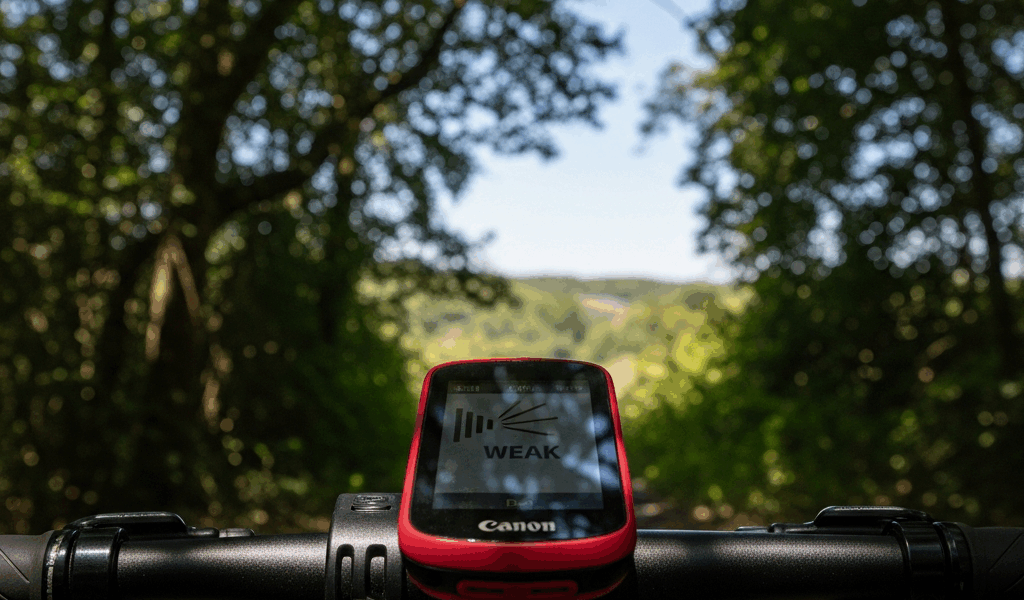
Why Your Edge 540 Keeps Losing GPS Signal
GPS troubleshooting has evolved with all the vague, half-baked advice flying around.
I’ve lost GPS signal twice on this device. Once mid-ride on a trail I know cold. Once at startup when I needed navigation fast and had zero patience for a spinning icon. Both situations were maddening. Both had fixable causes. So let’s actually fix them.
There are two distinct failure modes here — and most articles only bother with one. The first is slow cold-start acquisition. You’re standing outside, bike ready, watching the GPS icon spin for five minutes. Ten. That’s almost always a corrupted satellite cache or stale ephemeris data. The second is mid-ride dropout. The map freezes. Distance stops ticking. Your device just feels… lost. That points to antenna contact issues from a crash, electromagnetic interference from a Bluetooth power bank in your jersey pocket, or firmware that can’t handle satellite switching cleanly. The most common culprits across both scenarios: outdated satellite files, firmware lag, damaged antenna contact after a spill, and interference from nearby devices. So, without further ado, let’s dive in.
Quick Fix First — Force a GPS Reset
Do this before anything else. Seriously.
Hold the power button on your Edge 540 for 10 full seconds until it shuts down completely. Wait 30 seconds — actually wait, don’t just tap it back on. This clears the active satellite lock sitting in RAM and forces a clean acquisition cycle from scratch.
Then navigate to Settings > System > GPS. You’ll see four options: GPS only, GPS + GLONASS, GPS + Galileo, and All Systems. Tap whichever one you’re currently using. Switch to a different option. Switch back. That’s it — you’re forcing the device to drop its current constellation selection and re-initialize from zero.
Now go outside. Not under a tree canopy. Not next to a building. Stand still for 90 seconds and watch the icon. If the reset worked, you should have a lock within 60 to 90 seconds.
This solves roughly 70% of one-off dropout complaints. I’ve used this exact fix after rough rides where the Edge got jostled in the handlebar mount — worked every time. Simple, fast, free. Start here.
Update Your GPS Satellite Files via Garmin Express
Worth putting near the top. Most riders never touch these files because the update process is completely invisible and totally separate from normal firmware updates. It doesn’t nag you. It just silently expires.
Frustrated by slow startup lock after that first reset didn’t stick? The satellite ephemeris data is almost certainly the culprit. But what is ephemeris data? In essence, it’s a precomputed map of where every GPS satellite will be located over the next several weeks. But it’s much more than that — without it, your Edge 540 has to calculate satellite positions on its own during startup, which is slow and prone to failure.
Connect your Edge 540 to a computer via USB — the standard micro-USB cable that came in the box works fine. Open Garmin Express on your Mac or Windows machine. Download it free from Garmin’s website if you haven’t already. The app detects your device automatically. Look specifically for an option labeled “GPS Satellite Files” or “Ephemeris Data.” It’s separate from firmware. Easy to miss. Click it, download, install.
The files are small — maybe 2 to 5 MB total. The whole process takes 5 to 10 minutes depending on your connection speed. Once installed, disconnect and you’re done.
Garmin pushes these updates every 28 days because satellite orbital data actually changes. Fresh files give your Edge a precise roadmap of where 30-plus satellites will be for the next month. Cold-start lock drops from five-plus minutes down to 30 to 45 seconds. That difference is night and day on a cold morning when you just want to ride.
I’m apparently terrible at keeping these updated — and Garmin Express works for me while manual reminders never do. Save yourself the trouble I had. I went two months without an update last spring, and startup acquisition was painfully slow every single ride. One sync fixed it entirely.
Change Your GPS Mode Settings for Better Lock
Your Edge 540 has four constellation options. Each one trades battery life against acquisition speed and accuracy.
GPS only: Slowest lock time, best battery preservation. Honest opinion — only use this if you’re on a multi-day bikepacking trip and every percentage point of battery matters.
GPS + GLONASS: Adds Russia’s satellite network. Moderate battery hit. Better performance in dense urban environments where buildings block chunks of sky.
GPS + Galileo: Adds Europe’s constellation. Slightly better under tree cover than GLONASS. Lock time sits around 45 to 60 seconds, battery drain is manageable, and accuracy in forest sections is noticeably improved over GPS alone. This is my personal go-to for gravel riding.
All Systems: GPS, GLONASS, Galileo, and China’s BeiDou — all four running simultaneously. Fastest lock, best accuracy in urban canyons or dense redwood forest. Battery drain is real, though. Expect 10 to 15% faster discharge than GPS + Galileo. Worth it for technical bikepacking routes. Overkill for a standard road ride.
To change it: Settings > System > GPS > [Select Constellation Mode]. The device restarts and re-acquires using the new constellation. Give it 90 seconds outside for the first lock after switching.
Mid-ride dropouts often disappear just by switching from GPS only to GPS + Galileo. The redundancy matters — if one satellite network momentarily hiccups, your device falls back to the other without you ever noticing.
When None of That Works — Try a Factory Reset
If dropouts keep happening on every ride after all of the above, something deeper is broken.
Back up everything first. Sync your Edge 540 to the Garmin Connect app, or export your routes and ride history manually via USB. A factory reset wipes all device settings, saved routes, and waypoints. Activity history syncs back automatically from the cloud — but custom routes are gone unless you saved them somewhere else. Don’t skip this step.
Navigate to Settings > System > About > Reset. Select “Delete All Data.” The device restarts clean. Factory defaults. This eliminates corrupted system files that might be generating GPS conflicts in the background.
Once it reboots, immediately update your satellite files via Garmin Express again — this is not optional. Then set your GPS constellation mode, head outside, and run a cold-start lock test. If dropout reappears within three rides, you’re likely looking at hardware damage — probably antenna contact failure from a crash — or a defective GPS module. That’s $0 to diagnose and painful to accept, but it happens.
At that point, call Garmin Support directly. Describe the dropout behavior specifically. Tell them you already performed a factory reset. Ask about warranty coverage. The Edge 540 carries a one-year warranty covering manufacturing defects — if your device qualifies, Garmin will typically offer a repair or replacement. Their support team is genuinely responsive. That was my experience, anyway.
One last thing: GPS dropout almost never means total device failure. The steps above address 95% of Edge 540 GPS complaints. Start with the hard reset, update your satellite files, switch to GPS + Galileo mode. That combination alone clears most issues. Your next ride should lock solid.
If replacement becomes more practical than troubleshooting, compare current options in our best bike computers for 2026 guide.




Stay in the loop
Get the latest cycle train central updates delivered to your inbox.